· 123 ToDo Team · Tips & Tricks · 18 min read
The Productivity Spring Clean: How to Get Back to Basics and Actually Get Things Done
Drowning in productivity tools? Multiple apps, complex systems, zero results? Time to strip it all away and rediscover the power of simple.
The Productivity Paradox: More Tools, Less Done
You’ve been there. Maybe you’re there right now.
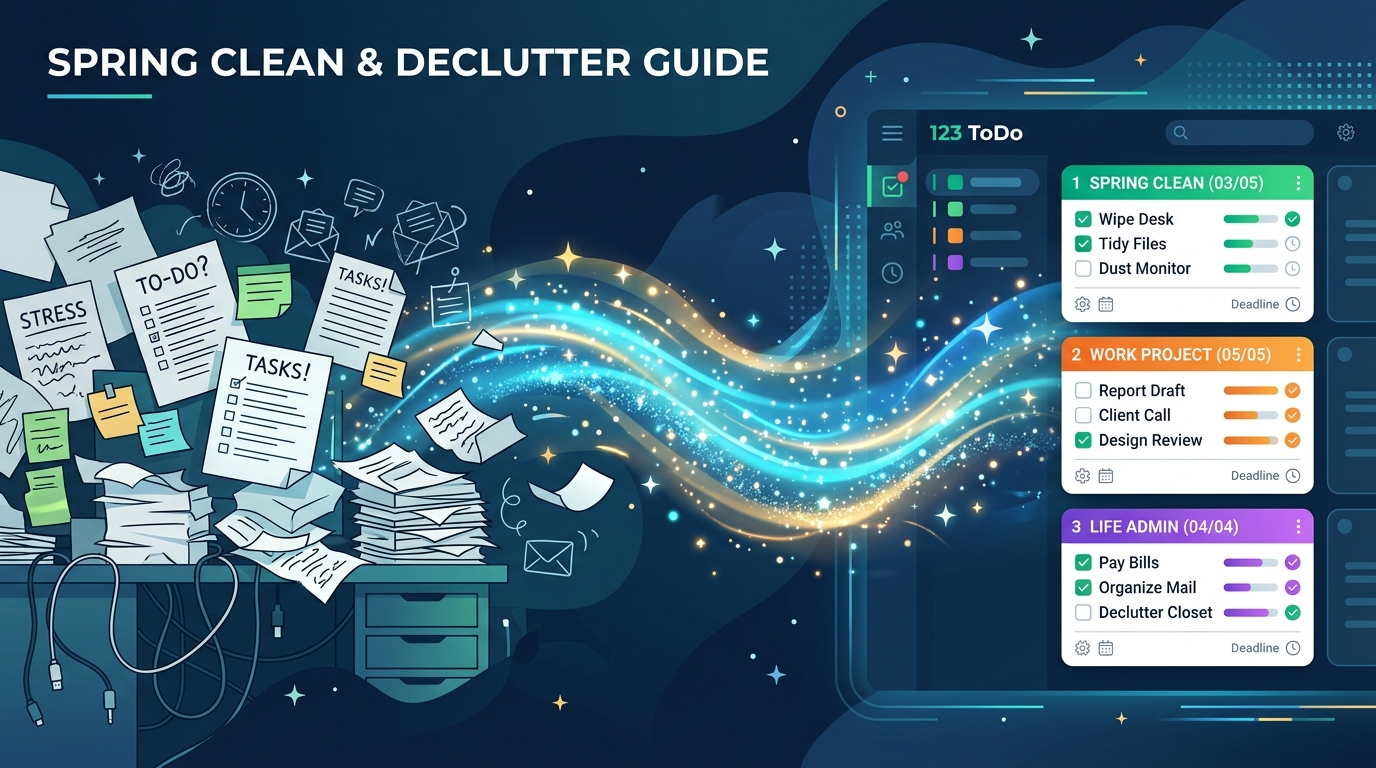
Seven productivity apps on your phone. Three task managers “in case one goes down.” A bullet journal sitting on your desk (untouched for three weeks). A complex Notion workspace with 47 databases. Trello boards. Asana projects. A “system” so elaborate it requires a system to manage the system.
And somehow, with all these tools, you’re getting less done than ever.
You spend more time deciding which app to use than actually doing the work. You waste energy migrating tasks between systems. You feel guilty about the abandoned tools you paid for. You’re drowning in productivity theater while actual productivity circles the drain.
Sound familiar?
Here’s the liberating truth: You don’t have a productivity problem. You have a complexity problem.
And the solution isn’t another tool, another method, another “perfect system.” The solution is the exact opposite.
It’s time for a productivity spring clean. Time to get back to basics. Time to strip everything away and rediscover what actually works.
The Productivity Tool Addiction Cycle
Let’s diagnose how you got here, because understanding the pattern is the first step to breaking it.
Stage 1: The Honeymoon
You discover a new productivity tool. It’s beautiful. It’s powerful. It promises to transform your life. The marketing is compelling. The features are impressive.
“This is it,” you think. “This is the tool that will finally get me organized.”
You set it up. You feel productive. You migrate all your tasks. You create categories, tags, projects, workflows. You watch tutorial videos. You join the subreddit.
You confuse setup with productivity.
Stage 2: The Overwhelm
Two weeks later, the tool feels like work. There are too many features. Too many decisions. Which view should you use? What’s the optimal tagging system? Should you reorganize everything again?
The tool that promised simplicity has become complex. But you’ve invested time, maybe money. You can’t give up now.
You confuse complexity with capability.
Stage 3: The Guilt
You stop using the tool consistently. Tasks pile up unorganized. The system breaks down. But you can’t abandon it - that would mean admitting failure. So it sits there, a digital monument to good intentions.
Meanwhile, you start looking at new tools. “Maybe the problem isn’t me. Maybe I just need a better system.”
You confuse the tool for the problem.
Stage 4: The Accumulation
Now you’re using three tools simultaneously. One for work. One for personal. One for long-term goals. Plus the old ones you haven’t deleted “just in case.”
You’re spending 30 minutes daily on tool maintenance and still forgetting important tasks.
You confuse more tools with more productivity.
The Real Cost of Productivity Tool Chaos
Let’s quantify what this complexity is actually costing you.
Time Cost: The Hidden Tax
Research by the American Psychological Association shows that task-switching and tool-switching reduces productivity by up to 40%.
Let’s calculate your actual cost:
Scenario: You use 3 different productivity tools
- Morning: Check Tool A for work tasks (5 min)
- Midday: Check Tool B for personal tasks (3 min)
- Throughout day: Migrate tasks between tools (10 min)
- Evening: Update all three tools (7 min)
- Weekly: Try to sync everything (20 min)
Daily time cost: 25+ minutes just managing your productivity tools
Monthly cost: 12.5+ hours spent on tool management
Annual cost: 150+ hours (nearly four full work weeks) spent managing how you work instead of actually working
What you could have done with 150 hours:
- Completed 3-5 major projects
- Learned a new skill to fluency
- Read 50 books
- Spent 150 hours with family
- Literally anything more valuable than managing productivity tools
Mental Cost: Decision Fatigue
Every tool requires decisions:
- Which tool do I use for this?
- Where did I put that task?
- Which view should I use?
- Do I need to update this in multiple places?
- What’s my tagging system again?
Each micro-decision depletes your mental energy. By noon, you’re exhausted - not from doing work, but from deciding how to organize work.
Research by Sheena Iyengar shows that excessive choice leads to decision paralysis, lower satisfaction, and decreased motivation.
More tools = more choices = less action.
Opportunity Cost: The Work Not Done
The most expensive cost is invisible: all the actual work you’re not doing because you’re managing your productivity system.
Think about it:
- That project you’ve been “organizing” for three weeks
- That idea you haven’t started because you’re still “setting up the workflow”
- That goal that’s perfectly categorized but never pursued
You’re organizing your life instead of living it.
Real Stories: The Liberation of Simplicity
Let’s look at real people who broke free from productivity tool chaos.
Emma’s Story: From 9 Apps to 1
Background: 38-year-old marketing director. Self-described “productivity junkie.” Used 9 different productivity tools simultaneously:
- Todoist (work tasks)
- Things 3 (personal tasks)
- Notion (projects and knowledge base)
- Evernote (notes and research)
- Trello (team collaboration)
- Google Calendar (scheduling)
- Habitica (habit tracking)
- Forest (focus timer)
- RescueTime (time tracking)
The Problem: Emma spent 45-60 minutes daily managing her productivity systems. Tasks duplicated across apps. Information scattered. Constant anxiety about whether she’d checked everywhere.
The Breaking Point: Missed her daughter’s school play because the task was in Todoist but the calendar event was in a different app she didn’t check that day.
The Spring Clean:
- Week 1: Exported all tasks from all 9 apps into a single text file
- Week 2: Deleted 8 of the 9 apps (kept only calendar for time-specific events)
- Week 3: Started fresh with 123 ToDo - simple Must/Should/Could prioritization
- Result: Went from 45 minutes of tool management to 3 minutes of actual task review
Emma after 3 months: “I felt like I’d been carrying nine bags of groceries and someone told me I could just make two trips. The relief was immediate. I’m completing more work, remembering more commitments, and I’ve reclaimed 40+ minutes daily. Plus, I’m present for my kids because I’m not constantly checking nine different apps.”
Productivity before simplification: 6/10 Productivity after simplification: 9/10 Time saved: 40+ minutes daily (280 hours annually)
Marcus’s Story: The Notion Workspace Nightmare
Background: 29-year-old freelance designer. Built an elaborate Notion workspace with:
- 12 different databases
- Custom relational properties
- Automated workflows
- Gallery views, board views, calendar views
- Color-coded tags and statuses
- Weekly review templates
- Project tracking systems
“It was beautiful. It was comprehensive. And I hated using it.”
The Problem: The workspace took 30 minutes to update daily. Any task required navigating multiple databases. Setting up a new project took an hour. The system was so complex he needed to re-learn it after weekends.
The Realization: “I spent three months building a productivity system and three more months maintaining it. I’d created a second full-time job - being my own system administrator.”
The Spring Clean:
- Closed Notion completely
- Took a week off from all productivity tools (just used phone reminders for critical tasks)
- Realized he completed MORE during that “tool-free” week
- Restarted with absolute basics: Must Do, Should Do, Could Do
Marcus after 6 months: “The complex system made me feel productive. But feeling productive isn’t being productive. I was spending creative energy on database design instead of actual design work. My income increased 30% after simplifying because I was doing billable work instead of system maintenance.”
Projects completed with complex system: 2-3 monthly Projects completed with simple system: 5-6 monthly (nearly doubled output)
Rachel’s Story: The Spring Clean That Saved Her Career
Background: 45-year-old operations manager at tech startup. Used:
- Company-mandated Asana (team projects)
- Personal Trello (individual tasks)
- Bullet journal (weekly planning)
- Email inbox as backup task list
- Sticky notes on desk (urgent items)
- Whiteboard (big picture planning)
The Problem: Critically important task fell through the cracks because it was on a sticky note that got thrown away. Missed a board meeting deadline. Put on performance improvement plan.
The Wake-Up Call: Her boss said, “You’re clearly working hard, but nothing’s getting done. Something needs to change immediately.”
The Spring Clean:
- Everything went into ONE system (kept required Asana for team, added 123 ToDo for personal)
- Threw away sticky notes
- Archived the bullet journal
- Implemented simple rule: “If it’s not in my task list, it doesn’t exist”
- Email stopped being a task manager
Rachel after 2 months:
- Performance review went from “needs improvement” to “exceeds expectations”
- Promoted to senior ops manager within 4 months
- Team adopted her simplified approach
Rachel’s insight: “I thought I needed multiple systems for different types of work. Turned out I just needed one brain, one list, and clear priorities. My complex system was protecting me from the hard work of actually prioritizing. Simple forced me to make decisions. Decisions drove results.”
David’s Story: The Productivity YouTuber Paradox
Background: 32-year-old “productivity enthusiast” who watched hundreds of hours of productivity YouTube videos and tried every system mentioned:
- GTD (Getting Things Done)
- Zettelkasten
- Personal Kanban
- Bullet Journaling
- Time blocking
- Pomodoro Technique
- The Weekly Review
- Second Brain / PARA method
- Plus 15+ different apps
The Problem: David knew everything about productivity systems but produced almost nothing. His weekends were spent reorganizing his productivity system. He could explain the theory of every method but couldn’t complete a simple project.
The Irony: “I was an expert on productivity systems but terrible at actually being productive.”
The Spring Clean:
- Unsubscribed from all productivity YouTube channels and newsletters
- Deleted all productivity apps except one
- Banned himself from researching new systems for 90 days
- Committed to the simplest possible approach: Write tasks, do tasks, repeat
David after 90 days:
- Completed first novel draft (been “planning to write” for 4 years)
- Launched side business (been “organizing the project” for 2 years)
- Learned Spanish to conversational level (been “setting up a learning system” for 18 months)
David’s insight: “I was addicted to the idea of optimization. Every new system felt like progress. But I was optimizing nothing - I had no output to optimize. Stopping the tool obsession and just DOING things changed everything. Turns out you don’t need the perfect system. You need to start.”
The Back to Basics Framework
Ready for your productivity spring clean? Here’s how to do it right.
Step 1: The Brutal Audit (30 Minutes)
Your mission: List every productivity tool, app, and system you currently use or have accounts for.
Include:
- Task management apps (all of them)
- Note-taking apps
- Calendar apps
- Habit trackers
- Time trackers
- Project management tools
- Collaboration tools (personal use)
- Journaling systems
- Any app or method claiming to improve productivity
Be honest. Include the ones you paid for but don’t use. The ones you “might need someday.” The ones with data you “should migrate.”
My current productivity stack:
(keep going until you’ve listed everything)
Now count them. If you have more than 3, you’re drowning in complexity.
Step 2: The Core Question (10 Minutes)
For each tool on your list, ask one question:
“If this disappeared tomorrow, would I actually miss it, or would I feel relieved?”
Not “might I need it someday.” Not “I paid for it.” Not “it has features I like.”
Would you genuinely miss it, or would you feel liberated?
Harsh truth: If you haven’t used it in 30 days, you won’t miss it.
Step 3: The Purge (15 Minutes)
This is the hardest and most liberating step.
Delete, uninstall, or cancel everything that didn’t pass the Core Question.
Not “export the data first” (unless actually critical). Not “I’ll keep the account just in case.” Not “maybe I’ll use it differently.”
Just delete it.
The fear: “But what if I need that information?”
The reality: If you haven’t needed it in months, you won’t need it tomorrow. And if you do, most tools let you recover accounts within 30 days.
The relief: Immediate. Your phone’s home screen suddenly breathes. Your mental load lifts. You’ve freed yourself.
Step 4: The Fresh Start (5 Minutes)
Now you need exactly ONE system for task management. One place where all tasks live.
The criteria:
- ✅ Simple (you can explain it in one sentence)
- ✅ Fast (adding a task takes under 10 seconds)
- ✅ Accessible (works on all your devices)
- ✅ Offline (no excuses when internet fails)
- ✅ Clear (you can see priorities at a glance)
What you DON’T need:
- ❌ Complex features “for power users”
- ❌ Extensive customization options
- ❌ Multiple views and perspectives
- ❌ Elaborate tagging systems
- ❌ Automation and integrations
- ❌ Team collaboration features (for personal tasks)
Simple is not a limitation. Simple is the feature.
Step 5: The Three-List Rule (Daily Practice)
Your entire system comes down to three lists:
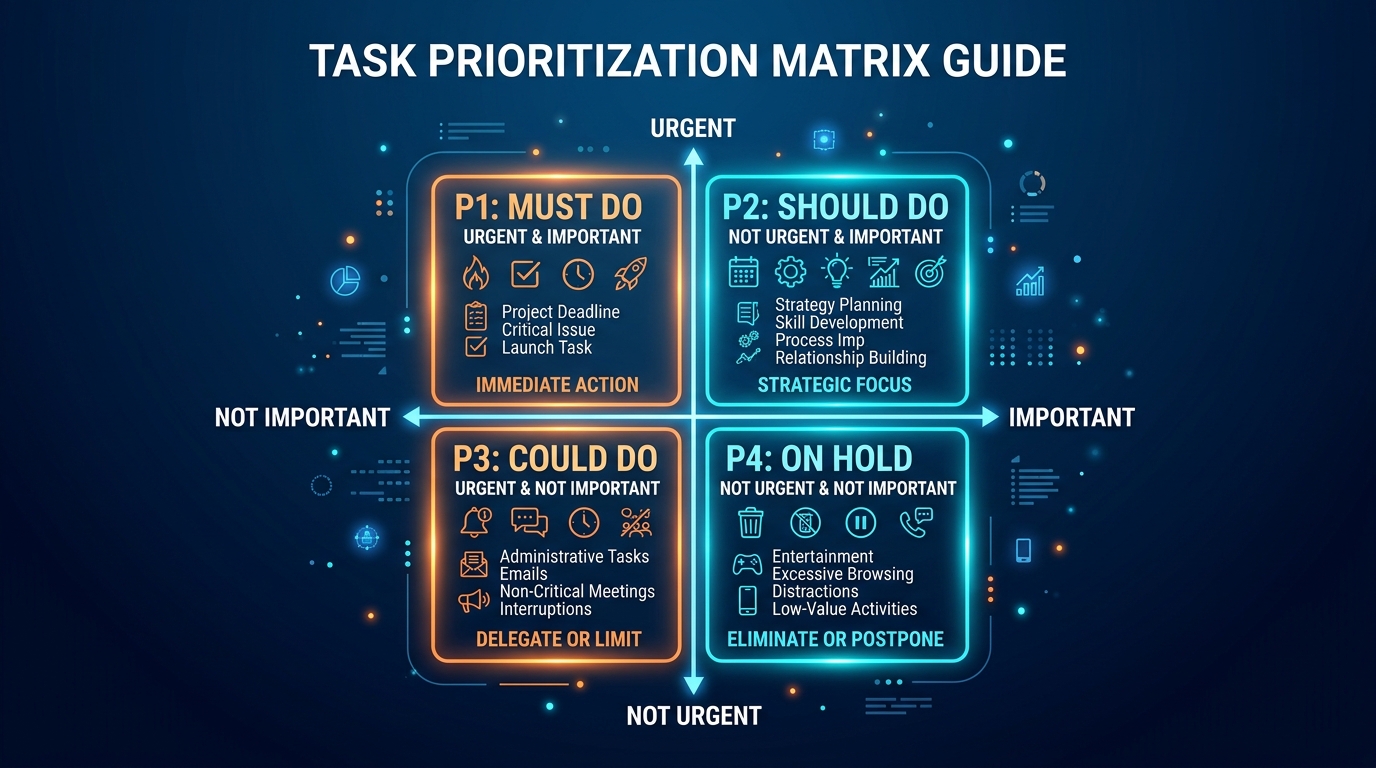
Must Do: Tasks that truly must happen today (limit: 3-5 tasks)
- If it won’t cause real problems by being delayed, it doesn’t belong here
- This list should feel urgent but achievable
Should Do: Important tasks without today’s deadline (no limit, but stay reasonable)
- These move your goals forward
- These become tomorrow’s Must Dos if important enough
Could Do: Nice-to-have tasks with no real urgency (inbox for everything else)
- Prevents forgetting ideas
- Prevents cluttering urgent lists
- Okay to delete from here if they stop mattering
That’s it. Three lists. No subcategories. No complex hierarchies. No elaborate tagging.
Step 6: The 5-Minute Rule (Sustainability)
Your system should require MAXIMUM 5 minutes of maintenance daily.
Morning (3 minutes):
- Review Must Dos (already should be planned from last night)
- Adjust if new urgencies appeared
- Start working on #1 Must Do
Evening (2 minutes):
- Check off completed tasks (feels good!)
- Identify tomorrow’s Must Dos
- Move anything that didn’t happen
That’s all the system maintenance you need. Ever.
If your system requires more than 5 minutes daily to maintain, it’s too complex. Simplify further.
The “Keep It Simple” Principles
These are your guardrails against complexity creep.
Principle #1: If It’s Not Written Down, It Doesn’t Exist
No more:
- “I’ll remember that”
- Email inbox as task list
- Sticky notes
- “Mental notes”
- Multiple capture points
One rule: Everything goes in your ONE system immediately.
Work task? In the list. Personal errand? In the list. Random idea? In the list. Thing someone asked you to do? In the list.
Benefit: Your brain stops trying to remember everything. Mental energy freed for actual work.
Principle #2: More Features = More Friction
Complexity doesn’t scale. Every feature added creates:
- One more thing to learn
- One more decision to make
- One more way for the system to break
- One more excuse not to use it
The test: Can you explain your system in one sentence? If not, it’s too complex.
Good: “I have three lists: Must Do, Should Do, Could Do. I work through them in order.” Too complex: “I use a GTD-inspired system with contexts, tags, projects, areas of responsibility, and a weekly review process…”
Principle #3: Capture Fast, Organize Later
Your system should allow:
- Adding a task in under 10 seconds
- No required fields except the task itself
- Quick capture from anywhere
Why: If capturing a task takes work, you’ll avoid it. Then tasks live in your head, causing stress.
123 ToDo example:
- Open app (2 seconds)
- Tap Add Task (1 second)
- Type task (5 seconds)
- Choose priority (2 seconds)
- Total: 10 seconds, task captured
Complex system example:
- Open app (3 seconds)
- Navigate to right project (10 seconds)
- Fill required fields: priority, tags, due date, category (20 seconds)
- Assign to correct database (15 seconds)
- Total: 48 seconds - 5x longer, so you don’t bother
Principle #4: Completion Over Categorization
What matters: Completing tasks What doesn’t matter: Perfect organization
The trap: Spending 30 minutes organizing tasks into perfect categories instead of spending 30 minutes actually doing tasks.
The fix: Simple prioritization (Must/Should/Could) is enough. Everything else is procrastination.
Principle #5: Tools Serve You, Not Vice Versa
Bad: Adjusting your workflow to fit the tool’s features Good: Using only features that serve your actual needs
Question to ask: “Does this feature help me complete tasks faster, or does it just make organizing tasks more complex?”
If the answer is complexity, you don’t need it.
Your 30-Day Spring Clean Challenge
Ready to transform your productivity through simplification? Here’s your month-long roadmap.
Days 1-3: The Purge
Day 1: Complete the Brutal Audit
- List all productivity tools
- Be completely honest
- Include forgotten subscriptions
Day 2: Apply the Core Question
- Would I miss this, or feel relieved?
- Be brutal
- Sunk cost is not a reason to keep something
Day 3: Delete everything that doesn’t pass
- Export critical data if needed (be honest about “critical”)
- Cancel subscriptions
- Uninstall apps
- Feel the weight lifting
Expected feeling: Anxious but liberated. This is normal.
Days 4-7: The Foundation
Day 4: Choose your ONE system
- Must meet the 5 criteria (simple, fast, accessible, offline, clear)
- Resist the urge to compare options for hours
- Pick one and commit
Day 5: Set up the THREE lists only
- Must Do
- Should Do
- Could Do
- Resist creating more categories
Day 6: Brain dump everything
- Every task from your head
- Every task from old systems
- Get it all into the new system
- Don’t organize yet, just capture
Day 7: First prioritization
- Sort everything into Must/Should/Could
- Be honest about what’s truly urgent
- Feel the clarity
Expected feeling: Clarity emerging from chaos. First glimpses of simplicity’s power.
Days 8-14: The New Routine
Daily practice:
- Morning: 3 minutes reviewing Must Dos
- Throughout day: Complete tasks in order (Must → Should → Could)
- Evening: 2 minutes identifying tomorrow’s Must Dos
Challenges you’ll face:
- Urge to add complexity (“maybe I should add tags…“)
- Desire to check old systems (“what if I missed something?“)
- Tool FOMO (“that new app looks interesting…“)
How to handle:
- Remind yourself: complexity is what you’re escaping
- Old systems are dead; let them stay dead
- New tools are distractions; stay focused
Expected feeling: Growing confidence. System feels natural.
Days 15-21: The Optimization
Not adding features - removing friction.
Questions to ask:
- Is my morning review taking less than 3 minutes? (If not, simplify Must Do criteria)
- Am I completing my Must Dos daily? (If not, you’re adding too many)
- Does adding tasks feel effortless? (If not, reduce required fields/steps)
- Am I feeling less stressed? (If not, you might need to reduce task volume)
Adjustments:
- Tighten Must Do definition (only truly urgent)
- Delete Could Dos that no longer matter
- Streamline your morning review
Expected feeling: System disappearing into background. It works without thinking.
Days 22-30: The New Normal
By now:
- System feels automatic
- 5 minutes daily maintenance feels easy
- You’re completing more tasks than with complex systems
- Stress reduced noticeably
- You wonder why you ever needed complexity
Final optimization:
- Review weekly: What worked? What friction remains?
- Simplify further if possible
- Resist complexity creep
Expected feeling: Liberation. Clarity. Productivity without overwhelm.
The Simplicity Metrics: Measuring Your Spring Clean Success
How do you know if your spring clean worked? Track these simple metrics.
Week 0 (Before Spring Clean)
Tool count: _ apps/systems in use Daily maintenance time: _ minutes managing tools Tasks completed weekly: _ Stress level (1-10): _ Mental clarity (1-10): ___
Week 4 (After Spring Clean)
Tool count: _ apps/systems in use (goal: 1-2) Daily maintenance time: _ minutes managing tools (goal: under 5) Tasks completed weekly: _ (should be higher) Stress level (1-10): _ (should be lower) Mental clarity (1-10): ___ (should be higher)
The Real Success Metrics
Beyond numbers, look for these qualitative improvements:
✅ Opening your task manager doesn’t feel like work ✅ You’re not thinking about your system - you’re using it ✅ Important tasks are getting done consistently ✅ You’ve stopped researching new productivity tools ✅ You feel in control instead of overwhelmed ✅ You recommend your simple system to others ✅ You can’t imagine going back to complexity
If you’re checking most of these boxes, your spring clean was successful.
The Complexity Creep Prevention Plan
Simplicity is easy to achieve but requires vigilance to maintain. Here’s how to prevent backsliding.
Monthly Review: The Simplicity Audit
Once per month, ask:
“Am I still using just one task system?”
- If no: Why did I add another? Can I consolidate?
“Is my daily maintenance still under 5 minutes?”
- If no: What complexity crept in? How do I remove it?
“Am I completing my Must Dos consistently?”
- If no: Am I overloading this list? Need to be more selective?
“Do I feel more or less stressed than last month?”
- If more: System might be getting complex again. Simplify.
“Have I been tempted by new productivity tools?”
- If yes: Why? What am I avoiding? Is my current system actually failing?
The “Hell No” List
Create a personal commitment list of things you will NOT do:
My “Hell No” List:
- ❌ I will NOT use more than one task management system
- ❌ I will NOT add features “just in case I need them someday”
- ❌ I will NOT spend more than 5 minutes daily on system maintenance
- ❌ I will NOT research new productivity tools without specific current failure
- ❌ I will NOT create subcategories beyond Must/Should/Could
- ❌ I will NOT migrate systems unless current one genuinely fails
- ❌ I will NOT let perfect organization prevent actual task completion
Add your own Hell Nos based on your past complexity traps.
The Red Flag Warning Signs
Watch for these signs that complexity is creeping back:
🚩 System maintenance taking longer than 5 minutes daily 🚩 Checking multiple apps to see all your tasks 🚩 Spending time reorganizing instead of doing 🚩 Feeling overwhelmed when opening your task manager 🚩 Tasks falling through cracks despite using system 🚩 Researching “better ways to organize” 🚩 Explaining your system takes more than 30 seconds
If you spot ANY of these flags: Immediate spring clean. Strip back to basics.
The Ultimate Truth About Productivity
Here’s what the productivity industry doesn’t want you to know:
Simple systems win. Every single time.
Complex systems:
- Feel productive (you’re “organizing!“)
- Look impressive (so many features!)
- Justify themselves (I paid for this, it must be better!)
- Create dependence (you need tutorials, templates, communities)
Simple systems:
- Feel almost too easy (is this enough?)
- Look basic (just three lists?)
- Require trust (can simplicity really work?)
- Create independence (you don’t need anyone’s help)
But simple systems have one unfair advantage: They work.
They work because:
- You actually use them (low friction)
- You don’t abandon them (low maintenance)
- You focus on tasks, not tools (clear purpose)
- You can’t hide from priorities (forced clarity)
Complexity is comfortable. It lets you feel productive while avoiding actual production.
Simplicity is uncomfortable. It exposes what you’re actually doing - or not doing.
That’s exactly why simplicity works.
Your Fresh Start Starts Right Now
You’ve read this far. That means something.
It means you’re ready to escape the productivity tool trap. Ready to strip away complexity. Ready to get back to basics.
So here’s your challenge:
Close this article. Open your phone. Delete one productivity app right now.
Not later. Not after you “export the data.” Not after you “give it one more week.”
Right now.
Pick the app you’ve been feeling guilty about not using. The one sitting there taking up space and mental energy.
Delete it.
Feel that? That’s the first step toward simplicity. Toward liberation. Toward actually getting things done.
Tomorrow? Delete another one.
By this time next week? Down to one system. One simple, beautiful, effective system.
Ready?
Start fresh with 123 ToDo - keep it simple →
Three lists. Five minutes daily. Zero complexity.
Everything you need. Nothing you don’t.
Welcome to productivity without the overwhelm. 🌱
Your Spring Clean Commitment
I commit to:
- Completing the Brutal Audit by **___**
- Deleting all unnecessary productivity tools by **___**
- Using only ONE task system starting **___**
- Maintaining 5-minute maximum daily maintenance
- Measuring success after 30 days
- Never going back to complexity
Signature: ****___**** Date: **___**
Accountability partner: ****___**** (tell someone about your spring clean)
Struggling with the spring clean? Need help letting go? Want to share your simplification success? Email us at support@123todo.com - we’re here to support your journey back to basics.
Here’s to simplicity. Here’s to clarity. Here’s to actually getting things done. ✨