· 123 ToDo Team · Guides & Workflows · 8 min read
How to Be Twice as Productive: The 123 ToDo Power User Guide
Discover how to eliminate decision fatigue, master keyboard velocity, dictate hands-free notes, and leverage the 1-2-3 priority system to double your daily output.
The Productivity Paradox: Why Traditional Apps Slow You Down
If you’re like most ambitious professionals, you’ve tried virtually every task management tool on the market: Todoist, TickTick, Notion, Asana, Monday, and Apple Reminders.
Yet despite spending hours configuring multi-level tag taxonomies, custom relational databases, automated Zapier webhooks, and complex color-coded Kanban boards, you still find yourself at 5:00 PM wondering where the day went — with your most important work untouched.
This is The Productivity Paradox: The more time and mental bandwidth you spend organizing, managing, and categorizing your to-do list, the less energy you have left to actually execute.
Mainstream productivity software has become bloated with enterprise features you don’t need:
- Form fatigue: Forcing you to fill out 8 dropdown fields (due date, priority, project, label, estimated hours, assignee) just to jot down a 30-second idea.
- Decision paralysis: Staring at a single unranked list of 75 mixed tasks and wasting 15 minutes deciding which fire to put out first.
- Paywall friction: Discovering that basic essentials — like attaching a photo of a receipt, pasting a screenshot, or exporting your own data — require a $5-a-month recurring subscription.
123 ToDo was designed from first principles to break this cycle. By stripping away software bloat and implementing deliberate structural constraints, 123 ToDo forces laser-sharp focus so you can get twice as much done in half the time.
Here is the complete blueprint to becoming a 123 ToDo power user.
Pillar 1: Master the 1-2-3 Priority Rule (Kill Decision Fatigue)
The cornerstone of high-velocity productivity is ruthless prioritization. You cannot treat answering an email with the same visual urgency as writing a crucial client proposal or finishing a major software feature.
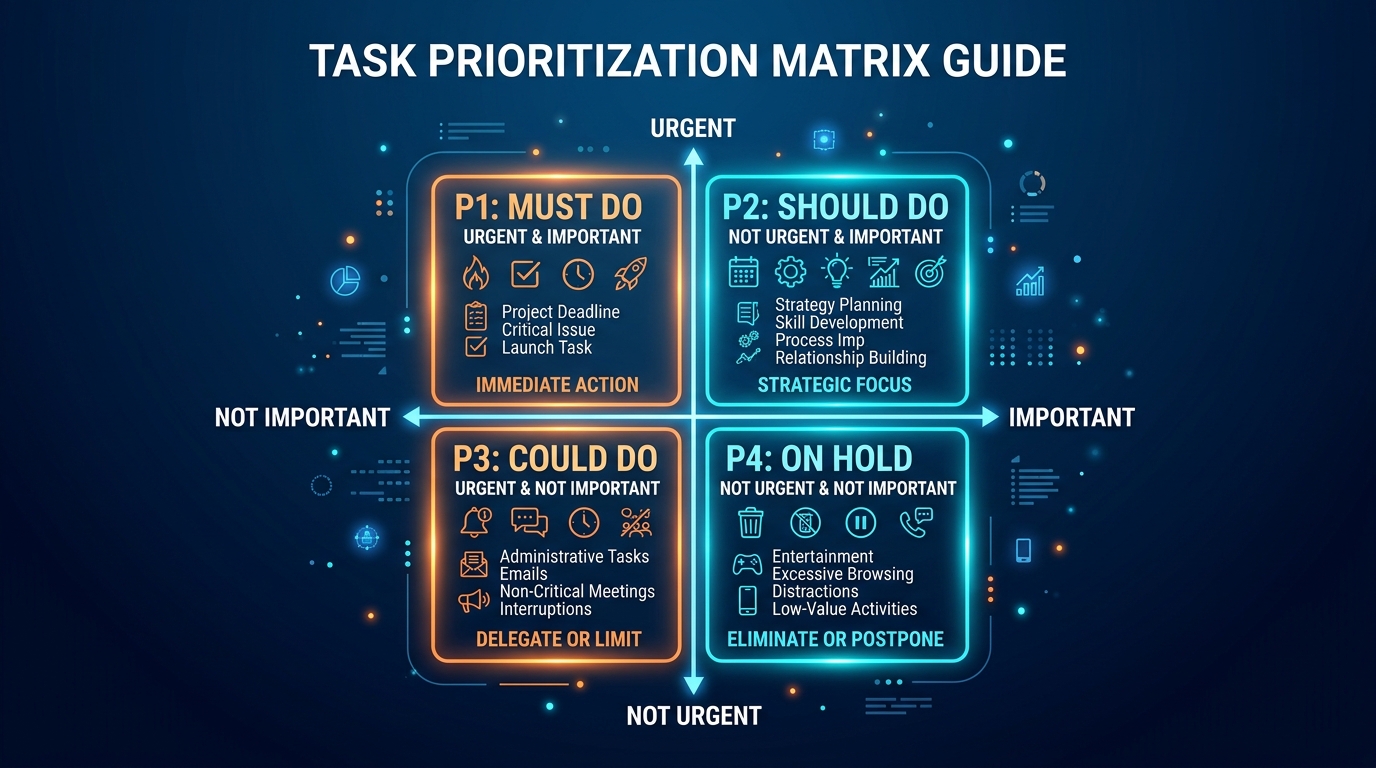
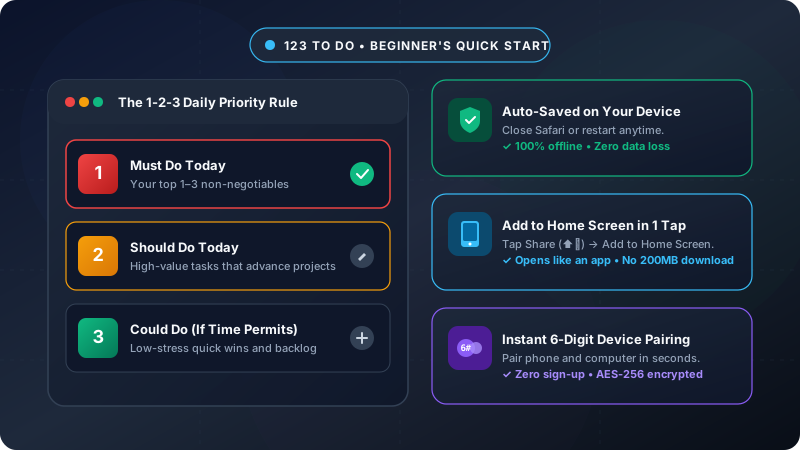
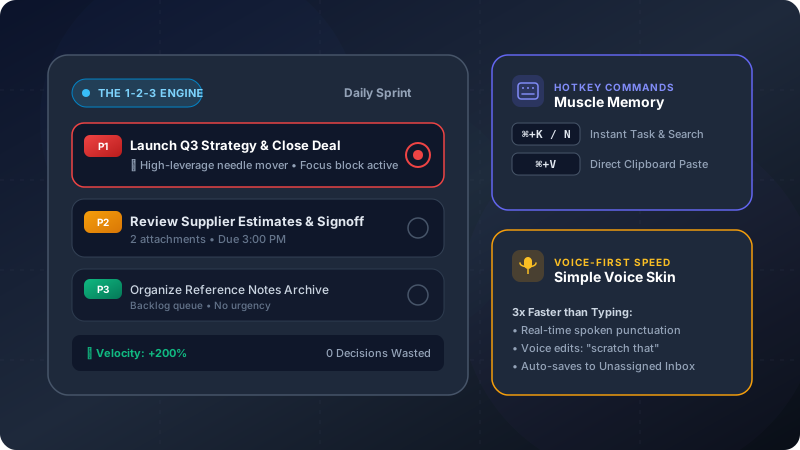
123 ToDo replaces arbitrary 1-to-10 scales and endless custom tags with a clean, unshakeable 4-tier hierarchy:
P1: Must Do (Non-Negotiable Needle-Movers)
- The Rule: Limit yourself to 1 to 3 items per day.
- What belongs here: Tasks that will have severe, tangible consequences if not finished today, or high-leverage activities that create 80% of your progress.
- Power User Habit: When you sit down in the morning, do not touch email, Slack, or social media until your P1 tasks are checked off.
P2: Should Do (High-Value Progress)
- The Rule: Limit to 2 to 5 tasks.
- What belongs here: Important tasks that advance ongoing projects, follow-ups with suppliers, or preparing materials for upcoming deadlines.
- Power User Habit: Tackle these during your midday focus blocks once your morning P1 momentum is secured.
P3: Could Do (Quick Wins & Backlog)
- The Rule: As many as you like, but treat them as optional bonuses.
- What belongs here: Low-urgency research, reading an interesting article, cleaning up a desktop folder, or quick administrative tasks.
- Power User Habit: Work on these only when your higher-priority energy is spent, or during low-energy late afternoons.
P4: On Hold / Someday (Out of Sight, Out of Mind)
- The Rule: Park ideas here so they don’t distract your active consciousness.
- What belongs here: Long-term brainstorms, projects pending client feedback, or tasks scheduled for next quarter.
💡 Power User Shortcut: Use the Priority Filter Pills in the 123 ToDo header. During your deep-work block, click P1 to instantly hide everything else. Eliminating visual clutter immediately quiets background anxiety and creates uninterrupted flow.
Pillar 2: Accelerate with Desktop Muscle Memory & Clipboard Pasting
True power users rarely take their hands off the keyboard. 123 ToDo is engineered with desktop keyboard navigation and direct clipboard integration to keep you in flow state:
1. Direct Clipboard Screenshot Pasting (Cmd+V / Ctrl+V)
In conventional to-do apps, attaching a screenshot requires taking the grab, saving it to your desktop, finding the file in a browser upload dialog, and waiting for it to upload.
In 123 ToDo:
- Capture a screen snippet with
Cmd+Shift+4(Mac) orWin+Shift+S(Windows). - Click into any task or note and press
Cmd+V(orCtrl+V). - The image is parsed directly from your clipboard, compressed client-side into modern WebP format, and attached in milliseconds — with zero files cluttering your desktop!
2. Actionable Single-Click Phone Numbers, Emails & URLs
Stop manually copying phone numbers or email addresses out of your task descriptions. 123 ToDo automatically recognizes communication entities:
- Phone Numbers (
tel:): Click any phone number inside a task to immediately initiate a call on your smartphone, Mac FaceTime, or VoIP client. - Email Addresses (
mailto:): Click an email to open your default mail client with a pre-addressed draft. - Web URLs: Open documentation, pull requests, or reference materials in a clean background tab with a single tap.
- Clicking any link is isolated so it never inadvertently expands, selects, or toggles your task card.
3. Keyboard Velocity Shortcuts
Cmd/Ctrl + K: Open the quick switcher to search tasks, notes, and tags in a fraction of a second.N: Rapidly spawn a new task without reaching for the mouse.Esc: Dismiss modals and clear search queries instantly.
Pillar 3: Voice-First Field Capture (Simple Voice Notes Mode)
Typing on a small mobile touchscreen keyboard while walking down the street, driving between appointments, or inspecting a construction job site is slow, dangerous, and frustrating.
123 ToDo includes a dedicated Simple Voice Notes Skin tailored for high-speed field capture:
1. Toggle to Simple Voice Notes Mode
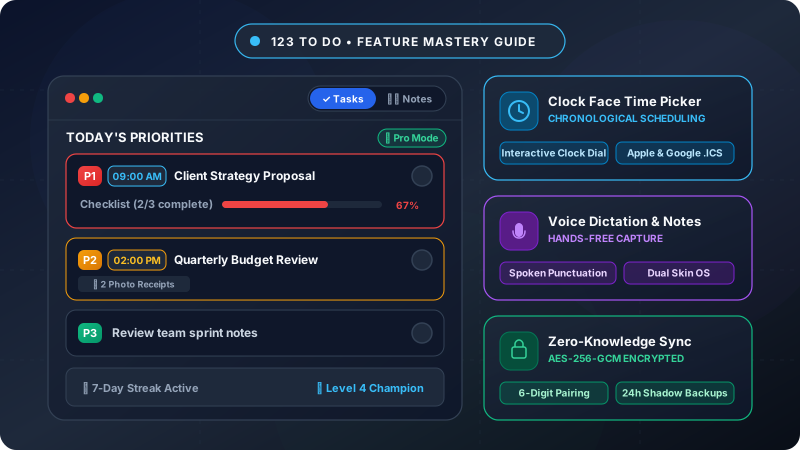
Tap the dual-skin switcher icon in the header or press M on desktop. The UI instantly transforms into a high-contrast, large-button voice dictation workspace designed for one-handed operation.
2. Speak with Real-Time Punctuation
Tap the prominent red Talk button and speak naturally. 123 ToDo’s voice engine leverages native browser Web Speech AI to insert formatting in real time:
- Say “comma” ➔ inserts
, - Say “period” or “full stop” ➔ inserts
. - Say “new line” or “new paragraph” ➔ breaks the text cleanly.
- Say “question mark” ➔ inserts
?
3. Live Voice Editing Commands
Made a slip of the tongue while dictating? Don’t stop to fiddle with the cursor:
- Say
"scratch that"to delete the last sentence immediately. - Say
"delete last word"to trim errors hands-free.
4. The “Brain Dump to Actionable Queue” Workflow
When inspiration strikes or a client calls while you’re on the move, dictate a 30-second stream of consciousness into Simple Voice Notes. It automatically saves to your Unassigned Inbox.
When you return to your desk at the end of the day, take 2 minutes to triage those raw notes: assign them to a project stream, add a P1 or P2 badge, and you’re ready for tomorrow.
Pillar 4: Install 123 ToDo as a Native PWA (Offline & Instant)
Running 123 ToDo inside an overcrowded browser tab next to 40 open tabs is a recipe for distraction and accidental tab closures.
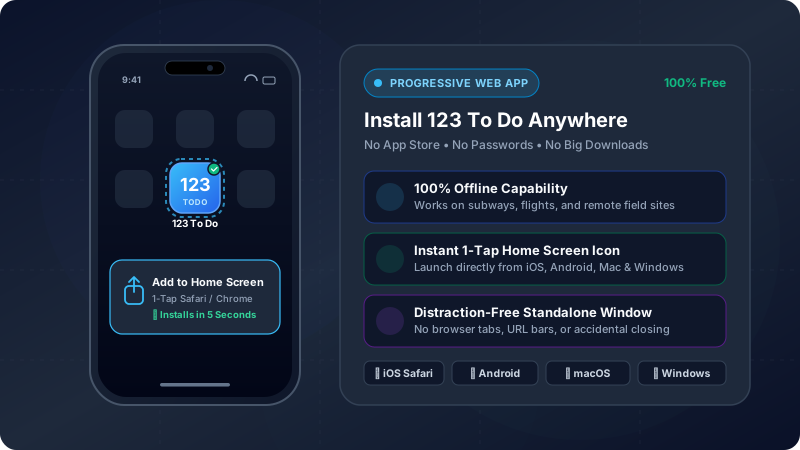
123 ToDo is a certified Progressive Web App (PWA), meaning you can install it directly onto your operating system:
- iOS / iPadOS: Open
app.123todo.comin Safari, tap the Share icon (square with arrow), and tap “Add to Home Screen”. - Android: Open Chrome, tap the ⋮ menu or the install banner, and tap “Install App”.
- macOS / Windows / Chromebook: Click the Install icon in Chrome/Edge’s URL bar, or click ”📲 Install App” in the 123 ToDo footer.
Why Installing Makes You Faster:
- Instant Launch: Opens in a standalone window with no browser address bar, bookmark bar, or distracting browser notifications.
- 100% True Offline Capability: Works flawlessly when you’re on an airplane, underground subway, or remote job site with zero cellular reception.
- Hardware Storage Persistence: Automatically requests persistent browser storage permissions, shielding your offline tasks and daily shadow backups from automatic browser cache cleaning.
Pillar 5: Zero-Knowledge Cloud Sync & Autonomous Daily Backups
Being productive means never worrying about data loss or server outages. 123 ToDo provides bulletproof data architecture:
1. 5-Second Zero-Knowledge Pairing
Sync your phone, laptop, and tablet in seconds:
- Open Settings ⚙️ ➔ Sync & Cloud.
- Select 123ToDo Cloud Sync and tap Generate Pairing Code.
- Enter the 6-digit code on your second device.
- Your tasks and notes are encrypted client-side using AES-256-GCM before transmission through Cloudflare’s serverless edge database. Neither Cloudflare nor third parties can inspect your plaintext data.
2. 24-Hour Autonomous Shadow Backups
Ever accidentally deleted a complex project plan or checklist? In 123 ToDo, you have an autonomous local safety net.
Every 24 hours, the app records an immutable snapshot of your entire workspace into local browser storage. If a mistake occurs, open Settings ⚙️ ➔ Recovery & Backups and restore yesterday’s state in a single click — no internet connection required.
The Power User Daily Blueprint: 10 Minutes to 2x Velocity
Here is the exact daily ritual used by the most effective 123 ToDo power users:
| Time | Duration | Power Action | Outcome |
|---|---|---|---|
| 8:30 AM | 5 Minutes | Morning 1-2-3 Triage Review Unassigned Inbox. Pick maximum 3 tasks as P1. Tag non-essentials as P2/P3. | Zero decision fatigue for the entire morning. |
| 9:00 AM – 12:30 PM | Deep Work | The P1 Sprint Tap the P1 filter pill. Close email and chat. Execute strictly on the 3 needle-movers. | High-leverage output delivered before lunchtime. |
| Throughout Day | 30 Seconds | Rapid Capture Use Cmd+V for screen grabs on desktop, or Simple Voice Notes mode while on the move. | No ideas or client requests slip through the cracks. |
| 4:45 PM | 5 Minutes | The Daily Closeout Check off completed tasks. Triage voice notes. Set up tomorrow’s P1s. | Complete peace of mind and guilt-free evenings. |
Ready to Double Your Productivity?
You don’t need a $20-a-month subscription, complex database queries, or a 40-step productivity course. You just need a system that respects your focus, moves as fast as your mind, and keeps your data 100% private.
Launch 123 ToDo right now, set your top 3 P1 tasks for today, and experience what real productivity feels like.