· 123 ToDo Team · Tutorials · 8 min read
The Complete 123 To Do Feature Guide: From Daily Focus to Power User
Master every feature of 123 To Do in order of importance—from midnight rollovers and interactive clock face scheduling to encrypted sync, voice dictation, and the Pro/Lite dual skins.
Unlocking the Full Potential of 123 To Do
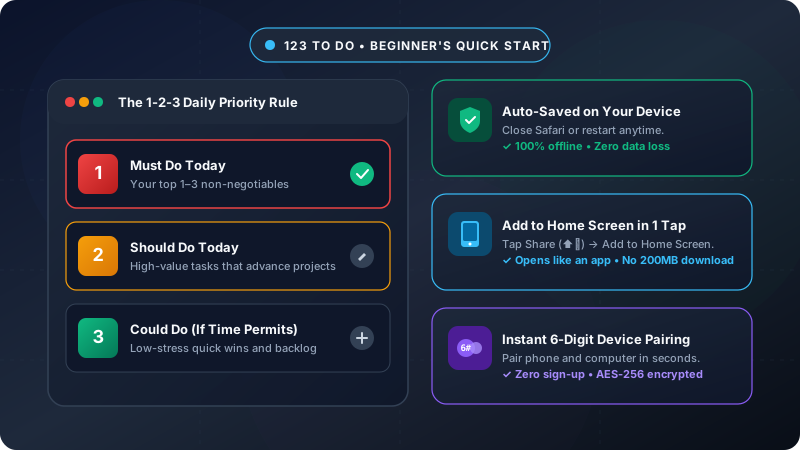
Once you’ve mastered the foundational 1-2-3 Rule (1 High priority task, 2 Medium tasks, and 3 Low tasks), you quickly discover that 123 To Do is far more than a basic checklist. Underneath its deceptively clean and calm surface lies a suite of thoughtfully engineered productivity tools designed for professionals, deep-work thinkers, and anyone who wants to conquer their day without digital clutter.
To help you get the most out of your workflow without feeling overwhelmed, we’ve structured this guide by perceived value and impact—starting with the game-changing daily routines and moving into advanced power tools.
Here is your master walkthrough.
1. Midnight Rollover & The Daily Fresh Slate (Daily Impact: ⭐⭐⭐⭐⭐)
The biggest failure mode of traditional to-do lists is task debt. When you end a Monday with 14 unfinished tasks in a giant backlog, Tuesday starts with dread before you’ve even had your morning coffee.
How Rollover Works in 123 To Do
- Automatic Midnight Reset: When midnight arrives in your local time zone, completed tasks are gracefully archived into your history log, freeing up your daily quota.
- Unfinished Tasks Carry Over: Any incomplete tasks gently roll over into the new day. You don’t have to re-enter them or feel guilty—they simply remain in their priority tier so you can tackle them first.
- Zero-Friction Morning Review: In the morning, you open 123 To Do to find a clean slate with your carried-over priorities ready for review. You can re-prioritize or reassign them with a single swipe or drag.
- Streak & Consistency Counter: Every day you complete your core tasks, your streak increments. Consistency beats intensity every single time.
2. Interactive Clock Face Scheduling & Calendar Sync (Impact: ⭐⭐⭐⭐⭐)
A list of tasks tells you what to do. It doesn’t tell you when you are actually going to do it.
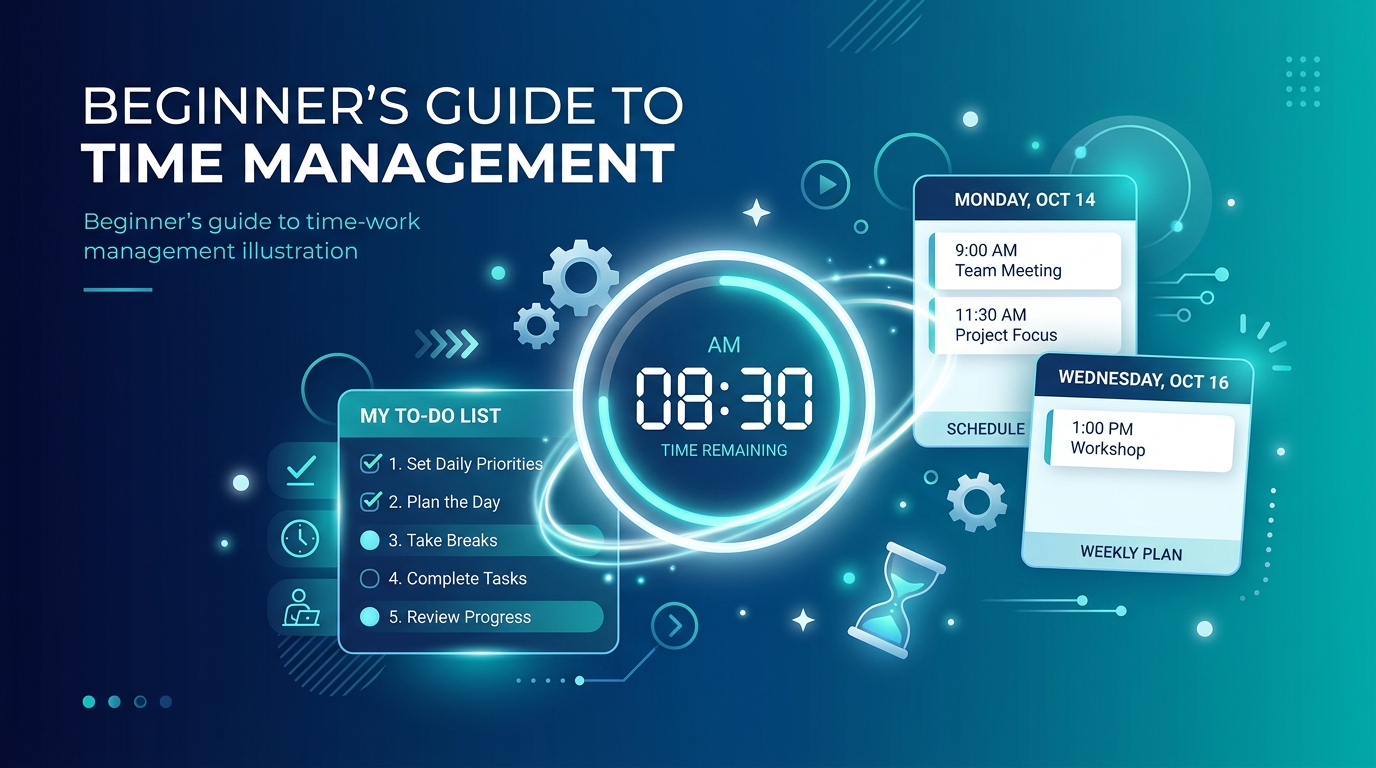
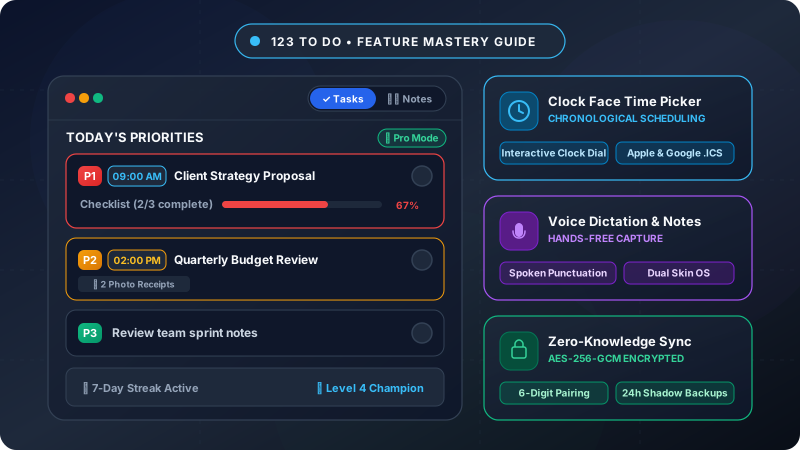
123 To Do features a built-in Circular Clock Face Time Picker and timeline ordering system that bridges the gap between task management and calendar scheduling.
How to Use Clock Face Scheduling
- Interactive Clock Face Dial: When creating or editing any task (or tapping Defer), tap the clock icon to open the custom circular analog clock face. An intuitive interactive dial lets you tap or drag the hour hand, toggle AM/PM, and set exact minutes in two effortless steps.
- Chronological Timeline Ordering: Tasks assigned a scheduled time are automatically arranged in chronological order (earliest time first), transforming your daily list into a structured daily itinerary while fully preserving custom drag-and-drop manual reordering.
- Concise Time Badges: Scheduled tasks display a small, elegant time badge (e.g.,
09:00,2:30 PM) right at the start of the task card in both Pro and Lite views. - 1-Click Google & Apple Calendar Sync: With one click, export any scheduled task directly to Google Calendar or download an Apple Calendar (
.ics) event, pre-configured with a 15-minute advance reminder alert. - Automated Reminders: Optional browser and PWA notifications alert you the moment a scheduled task reaches its set time on your desktop or mobile device.
3. Subtask Checklists & Granular Progress (Impact: ⭐⭐⭐⭐)
A single priority task (like “Finalize quarterly client proposal”) can often feel intimidating. When a task feels too big, our brains naturally procrastinate.
Breaking Tasks into Actionable Micro-Steps
- Add Subtasks in Seconds: Tap any task card to expand its detail modal and add sequential checklist items.
- Draggable Reordering: Drag subtasks by their grip handles to adjust the order of operations as your day unfolds.
- Visual Progress Counter: Each task card displays real-time checklist progress (e.g.,
2/4) directly in the main view, giving you immediate feedback as you knock out micro-milestones.
4. Hands-Free Voice Dictation & Smart Input (Impact: ⭐⭐⭐⭐)
Great ideas and sudden reminders rarely arrive while you’re sitting comfortably at your desk. They strike when you’re walking, commuting, or on a job site.
Instant Voice Input
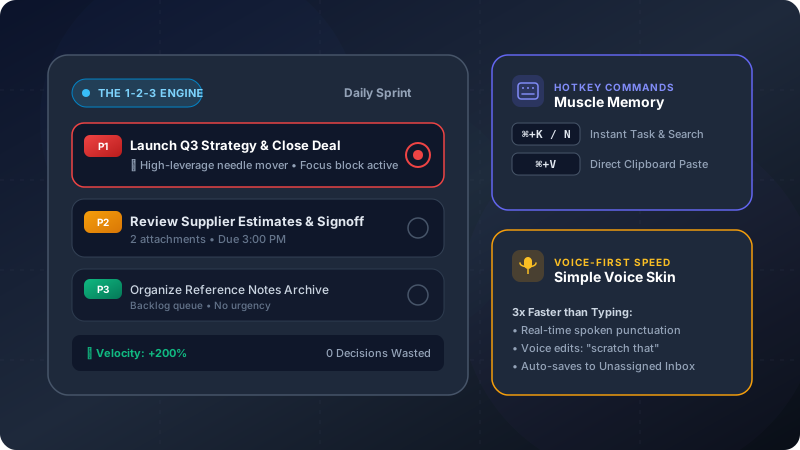
- One-Tap Dictation: Tap the microphone icon beside any task or note input field on mobile or desktop.
- Continuous Speech Recognition: Speak naturally without getting cut off during thinking pauses.
- Spoken Punctuation Recognition: Say “full stop”, “comma”, “question mark”, “exclamation mark”, or “new line” to format your notes and tasks hands-free.
- Smart Natural Language Detection: Mention priority keywords like “Must do” or project names while speaking to route your task automatically.
5. Visual Attachments: Photos, Receipts & Screenshots (Impact: ⭐⭐⭐⭐)
Sometimes words alone aren’t enough to capture the full context of a task.
Why Visual Context Matters
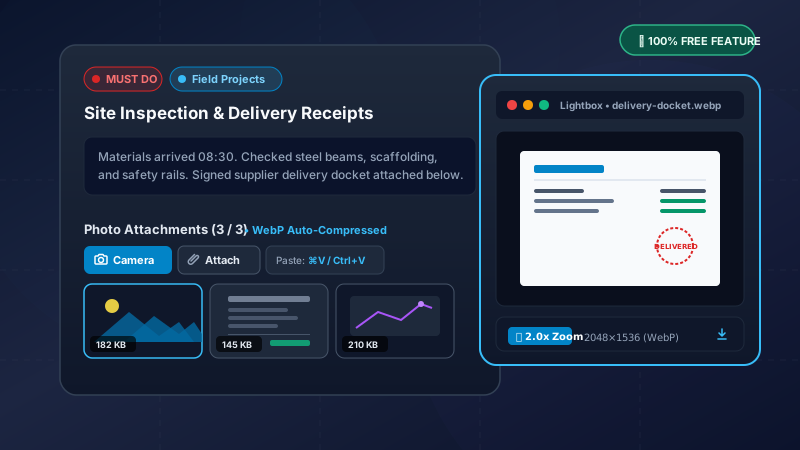
- Attach Photos & Screenshots: Upload whiteboard photos, receipt images, sketches, or reference documents directly to notes and tasks.
- Instant Desktop Paste (⌘V / Ctrl+V): Take a quick screenshot on your Mac or PC, hit paste, and the image attaches immediately without saving a file to your desktop first.
- Offline & On-Device Storage: Attachments are compressed on-device and stored locally within your browser’s persistent IndexedDB storage—never eating cloud limits or risking privacy.
- Full-Screen Lightbox: Tap any thumbnail to zoom in with high-resolution clarity.
6. Dual App Modes & Interface Profiles (⚡ Pro vs 🍃 Lite) (Impact: ⭐⭐⭐⭐)
Productivity is personal, and the environment you work in shapes your focus. 123 To Do adapts to your style with two powerful dimensions of flexibility:
1. Dual Skin OS (Tasks Mode vs. Notes Mode)
- Tasks Mode: Your structured daily command center with 1-2-3 priorities, checklists, calendar scheduling, and project tabs.
- Notes Mode: A dedicated, distraction-free voice notepad for capturing meeting minutes, contractor estimates, and stream-of-consciousness journaling. Tap the top toggle pill anytime to jump between them.
2. Interface Profiles (⚡ Pro vs. 🍃 Lite)
- 🍃 Lite Mode: A clean, minimalist 2-line layout designed for zero distraction. Your Must Do tasks take center stage, while secondary priorities remain neatly summarized. Tapping any card expands it in-place to reveal all tools.
- ⚡ Pro Mode: Full power-user visibility with expanded cards, subtask checklists, project badges, timestamps, and deep editing controls visible at a glance.
- Customizable Appearance: Toggle between OLED Dark Mode and 3 gentle Light Mode tones (Bright, Soft, and Muted Cozy Grey with Zero Glare), with optional bold high-contrast typography.
7. Projects, Tags & Desktop Kanban Columns (Impact: ⭐⭐⭐)
You can create and view as many tasks as you need—there are no artificial limits or caps. While the 1-2-3 framework is designed to help you prioritize your top tasks each day, real-world productivity often involves tracking dozens of ongoing initiatives, backlogged ideas, and multi-week projects.
Managing Projects & Kanban Boards
- Color-Coded Projects: Group tasks under custom color-coded projects (e.g.,
#Work,#Health,#Finance,#Personal) with active task counter badges. - Kanban Board Visualization: On desktop and tablet displays, switch the layout from Priorities View to a spacious multi-column Project Kanban Board with drag-and-drop card movement across columns.
8. Direct In-Box Actionable Links (Impact: ⭐⭐⭐)
No one wants to copy and paste phone numbers or email addresses into a separate app just to make a quick call.
One-Click Communication
- Clickable Contact Info: Phone numbers (
tel:), email addresses (mailto:), and URLs inside task descriptions and notes are automatically detected and styled as actionable links. - Zero Friction: Clicking a phone number instantly dials on mobile; clicking an email launches your preferred email client; clicking a web link opens the browser—all without opening an edit modal.
9. Zero-Knowledge Multi-Device Sync (Impact: ⭐⭐⭐)
Want to draft your tasks on your Mac or PC in the morning and check them off on your iPhone or Android during the day?
How 123 To Do Syncs Without Storing Your Data
- End-to-End Client-Side Encryption (AES-256-GCM): Before your task data leaves your device, it is encrypted using your private key.
- Zero-Knowledge Architecture: The synchronization relay never sees your task names, notes, or subtasks. Even if someone intercepted the transmission, it is mathematically unreadable gibberish.
- Two Flexible Options: Pair two devices in 10 seconds using a simple 6-digit sync code via Cloudflare Relay, or connect directly to your personal Google Drive account.
10. Automated Shadow Backups & Universal Importer (Impact: ⭐⭐⭐)
We believe you should always own your data. You should never be locked into a proprietary ecosystem or lose work because of an accidental browser cache clear.
Safety Nets & Easy Migration
- 24-Hour Shadow Backups: 123 To Do automatically creates rolling snapshot backups every day in isolated persistent local storage. If you ever make a mistake or clear data, you can restore from yesterday’s snapshot with a single click.
- Universal Importer: Switching from Todoist, TickTick, Google Keep, Google Tasks, or Microsoft To Do? Paste or upload your CSV or JSON exports, and 123 To Do maps them into your projects and priorities in seconds.
- One-Click JSON Export: Export your complete database anytime for safe offline storage.
11. Productivity & Achievements Hub (Impact: ⭐⭐)
Staying consistent is hard. 123 To Do turns daily focus into a fun, rewarding habit with zero vanity metrics.
Gamified Milestones
- Productivity Ranks: Tap the trophy icon in the header to view your 10-tier level progression (from Starter to 123 Immortal).
- Daily Streaks: Track consecutive days completing your top priorities to build lasting momentum.
- 1-2-3 Balance Ratios: Inspect your completion velocity and see how harmoniously you are balancing Must Do, Should Do, and Could Do tasks over time.
Ready to Level Up Your Focus?
You don’t have to enable all of these features on day one. In fact, we recommend starting with just the basic 1-2-3 list for your first three days.
Once the habit of daily focus is locked in, use the Clock Face to plan your schedule, switch on device sync, or explore Notes mode. 123 To Do is ready to grow with you—staying delightfully fast, strictly private, and completely free of distraction.
👉 Launch 123 To Do Now or explore our Getting Started Beginner’s Guide.