
· 123 ToDo Team · Guides · 4 min read
Never Lose a Task Again: How Automated Daily Shadow Backups & Offline PWA Storage Safeguard Your Workspace
Discover how 123 ToDo protects your task workspace against accidental mass deletions and device crashes with automated 24-hour shadow snapshots and 100% offline PWA storage.
There are few things more frustrating than opening your favorite productivity app after a busy day only to worry that your tasks or notes have vanished due to an accidental deletion, a cleared browser cache, or a silent browser update.
For web-based applications that rely purely on volatile in-memory state or unstable cloud connections, data loss is a silent threat.
123 ToDo was architected from day one with an enterprise-grade, multi-layered resilience engine to ensure your data stays 100% safe, 100% private, and immune to device reboots and browser updates.
1. Instant Synchronous Writes: Zero In-Memory Lag
Many web apps hold your edits in temporary computer memory (RAM) and only sync or save when you click “Save” or at delayed time intervals. If your laptop battery dies, your phone restarts, or your browser crashes, unsaved edits vanish.
In 123 ToDo, every single action—typing a task, adding a note, checking off a checklist step, or reordering priorities—is committed synchronously and immediately to physical local disk storage (localStorage and IndexedDB). The exact millisecond you interact with the app, your work is saved.
2. Dual-Tier Photo Storage Architecture (Eliminating 5MB Quota Crashes)
Attaching photos and screenshots to your tasks and voice notes is critical for site contractors, students, and busy professionals. However, web browsers enforce a strict 5MB total storage limit on localStorage. Attempting to save multiple high-resolution photos into standard LocalStorage causes a fatal QuotaExceededError, which crashes data saving for the entire application.
123 ToDo solves this with an intelligent dual-tier storage architecture:
- High-Resolution Originals in IndexedDB: Full-resolution image files (WebP/JPEG) are preserved in an isolated, high-capacity browser database (
123TodoPhotoDB), capable of storing gigabytes of photo data offline. - Visual Thumbnails in Shadow Backups: Lightweight base64 image thumbnails (~160px) and photo metadata are kept alongside your task text in LocalStorage and your automated Shadow Backups.
- The Result: Tasks load instantly, photo previews render without delay, and your data remains 100% protected against storage quota errors.
3. How the 24-Hour Automated Shadow Backup Engine Works
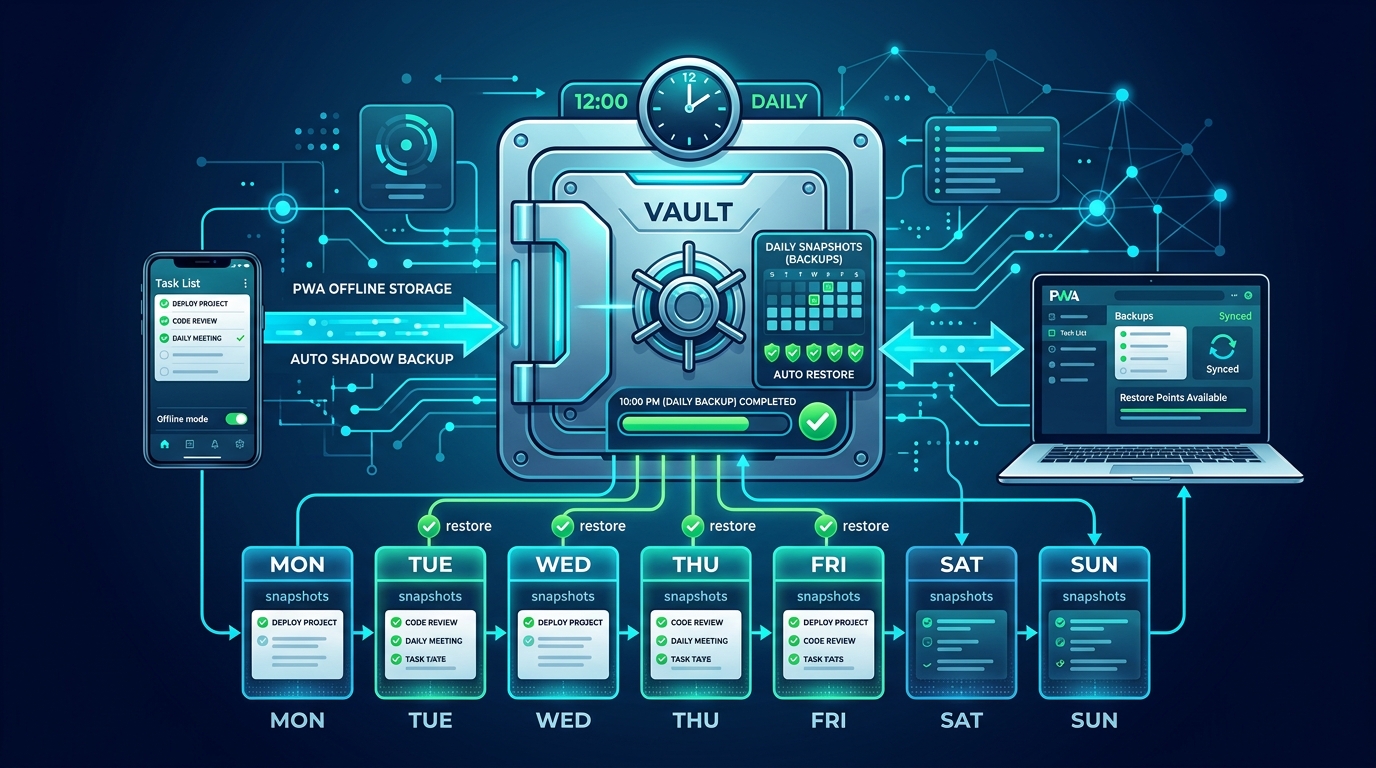
Behind the scenes, 123 ToDo runs an autonomous Shadow Snapshot Engine:
- Every 24 hours, the app automatically evaluates your local workspace dataset.
- A comprehensive, timestamped Daily Shadow Snapshot is compressed and saved into an isolated, protected browser storage key (
123TodoShadowBackup). - The snapshot preserves everything: active tasks, archived tasks, subtask checklists, project folders and colors, creation timestamps, notes, and visual photo thumbnails.
- Snapshots run silently in the background without interrupting your typing or slowing down the interface.
4. Immunity to Silent Browser Updates & OS Restarts
A common fear among web app users is: “What happens when Chrome, Safari, or Windows updates overnight?”
Your 123 ToDo data is completely safe. Here is why:
- Profile Storage Separation: When Google Chrome, Apple Safari, Microsoft Edge, or Mozilla Firefox update (silently in the background or upon reboot), the updater only touches the browser’s application binary files. Your personal User Profile Directory—which houses LocalStorage, IndexedDB databases, cookies, and installed PWA containers—is strictly preserved and never reset.
- HTML5 Persistent Storage API: On startup, 123 ToDo automatically requests persistent storage permissions via
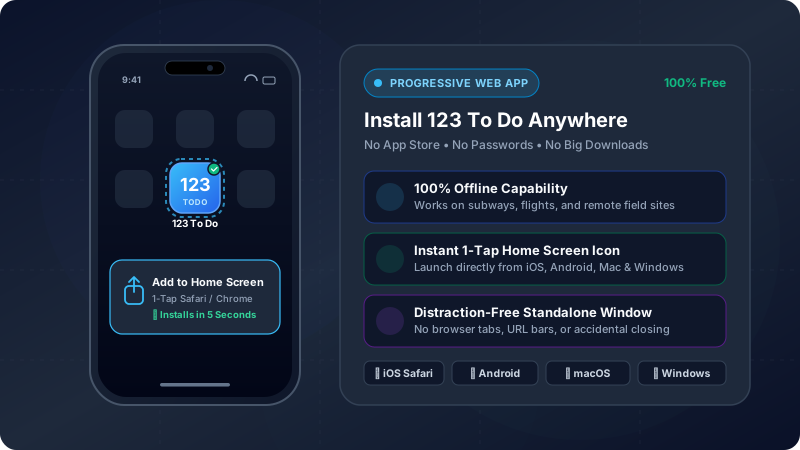
navigator.storage.persist(). When granted, the operating system is instructed never to evict 123 ToDo’s storage during low-disk-space maintenance sweeps. - Dedicated PWA Container (iOS & Android): When installed to your Home Screen as a Progressive Web App, iOS WebKit and Android Chromium place 123 ToDo into an isolated standalone sandbox, decoupling it from regular browser tab cleanup policies (such as Safari’s 7-day inactive tab cache capping).
5. 1-Click Workspace Recovery
If you ever make an accidental mass task deletion or want to roll back a mistake:
- Open Settings ⚙️ ➔ Backup & Restore.
- Select Restore Shadow Backup.
- Preview the snapshot timestamp and total task count, then click Restore Snapshot.
Your entire workspace rolls back to your last known good state in milliseconds—with zero internet connection or customer support tickets required.
6. Silent Background PWA Updates
When new versions of 123 ToDo are deployed, service workers install updates silently in the background. Your local database remains completely untouched, and the app seamlessly refreshes without interrupting your workflow, asking for permissions, or showing disruptive update banners.
Complete Data Sovereignty Guaranteed
Combined with manual 3-Click JSON Exports (Settings ⚙️ ➔ Export Backup Data) and optional Zero-Knowledge Cloud Sync (via Cloudflare D1 or Google Drive with client-side AES-256-GCM encryption), 123 ToDo guarantees that your daily task lists and notes remain 100% safe, 100% portable, and 100% under your control.
👉 Experience resilient, private task management for free at app.123todo.com