· Senior Technology Editor · Reviews · 8 min read
123ToDo Review: The Free, Privacy-First Productivity Engine That Proves Less Really Is More
A comprehensive tech editor evaluation of 123ToDo v3.3.1: discover why professionals, business owners, and busy individuals are switching to this free, zero-knowledge encrypted, voice-powered task & notes engine.
123ToDo Review: The Free, Privacy-First Productivity Engine That Proves Less Really Is More
In today’s corporate, small business, and personal productivity landscape, “software fatigue” has become a genuine bottleneck. Business owners, managers, freelancers, and field professionals routinely find themselves spending more time configuring complex database schemas, managing heavy project boards, and troubleshooting sync errors than actually completing real, meaningful work.
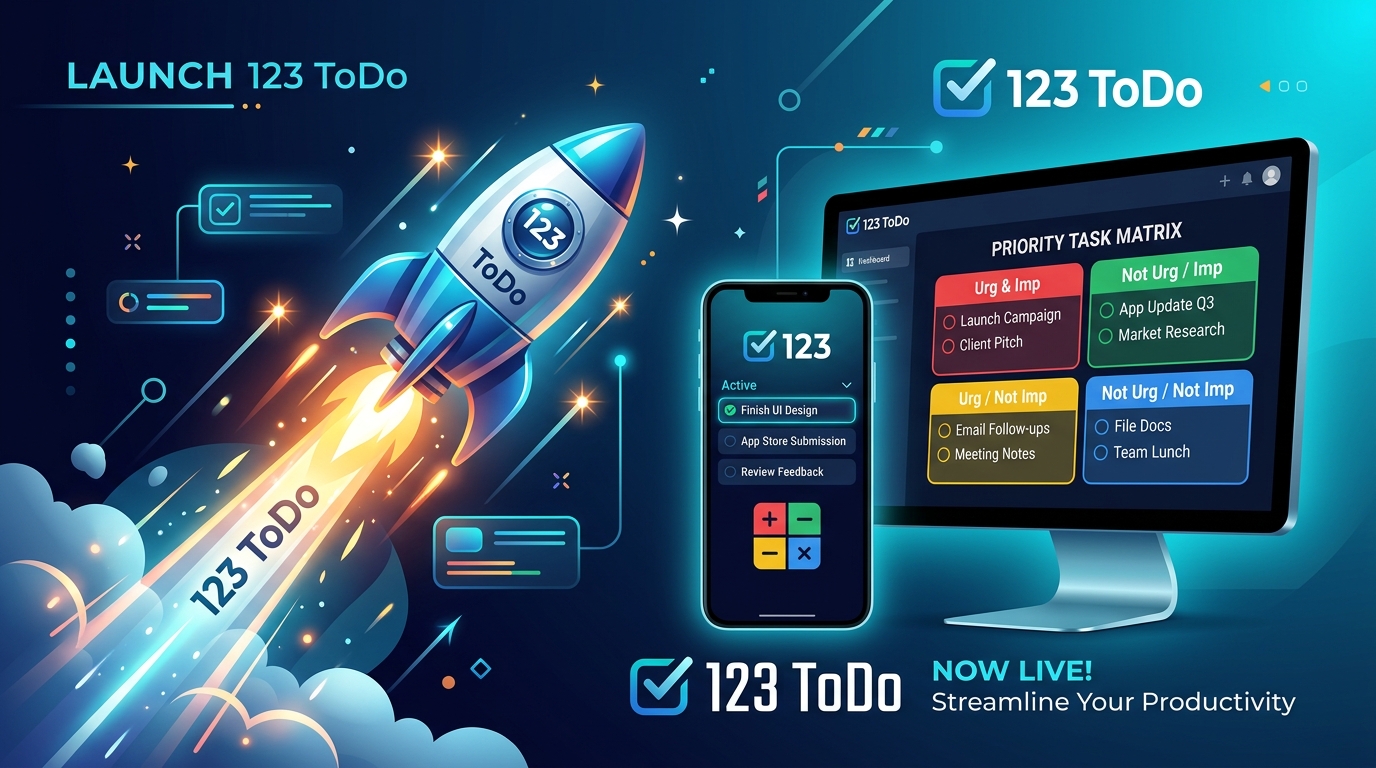
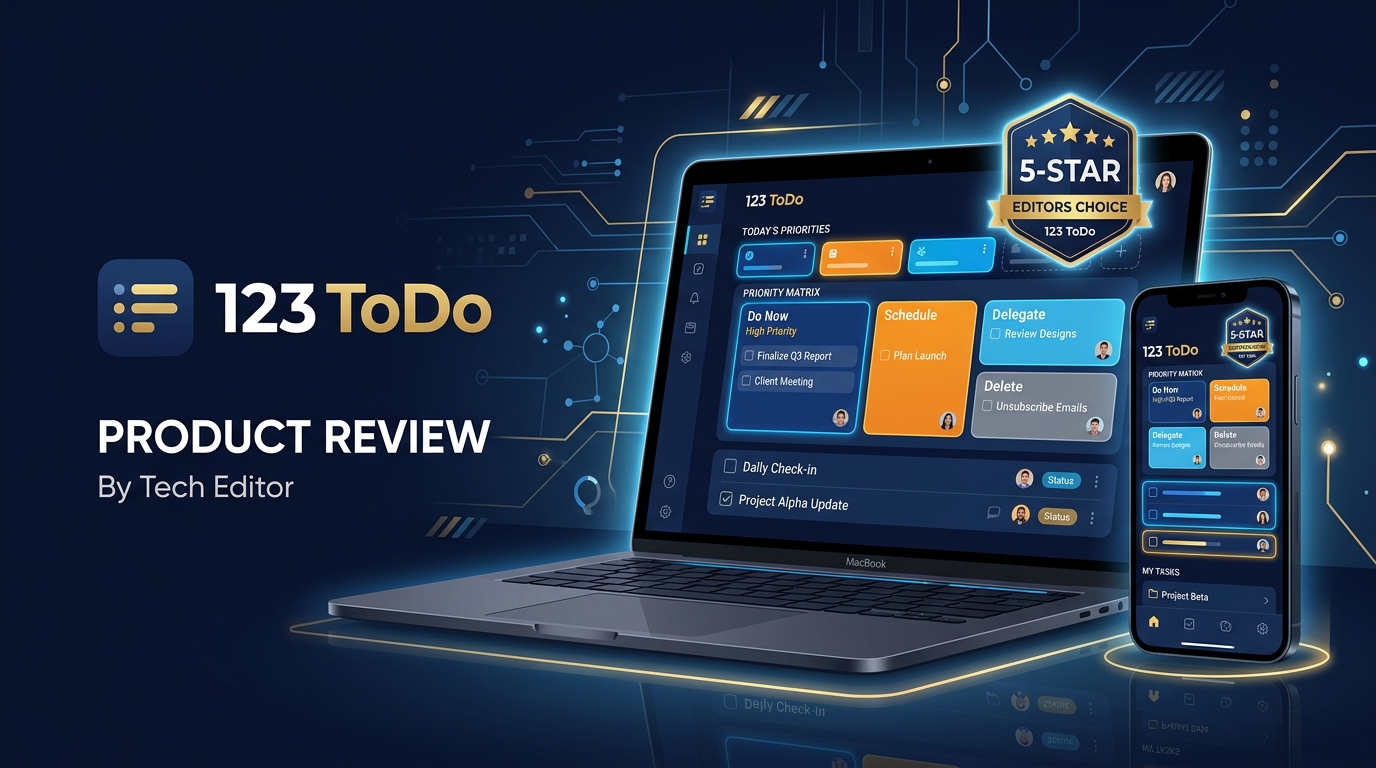
Enter 123ToDo (now in version 3.3.1) — a lightweight yet remarkably sophisticated task management application designed to strip away administrative bloat while equipping users with the exact tools needed to master their daily agendas.
What makes 123ToDo particularly compelling for both personal and professional users is its accessibility: it is completely free to use. However, unlike typical free applications that monetize user data or restrict essential capabilities behind aggressive subscription paywalls, 123ToDo operates on a privacy-first, zero-knowledge architectural model.
Below is an in-depth, feature-by-feature evaluation of 123ToDo, detailing the core capabilities of the app and the concrete benefits it delivers to everyday workflows.
Complete Feature Breakdown & User Benefits
1. The 4-Tier Priority System (P1 – P4 Matrix)
Description
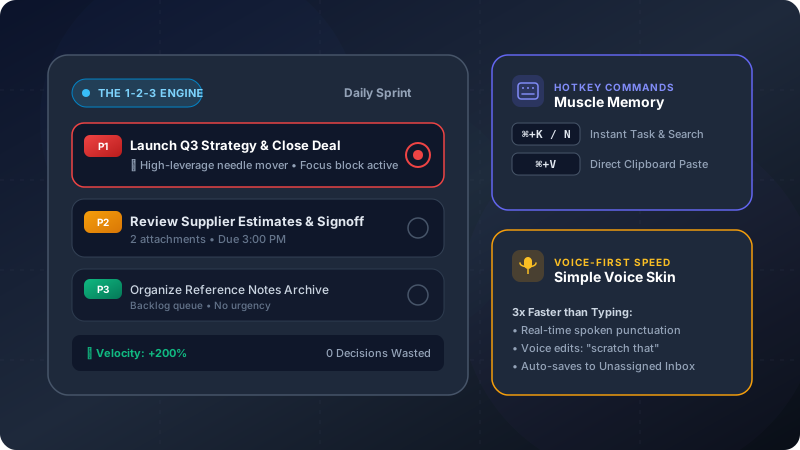
123ToDo replaces infinite scrolling lists with a structured 4-level priority matrix:
- 🔴 P1: Must Do (Urgent, mission-critical tasks for today)
- 🟠 P2: Should Do (Important operational objectives)
- ⚪ P3: Could Do (Lower priority, non-urgent items)
- 🟣 P4: On Hold (Deferred items or active waiting lists)
Each category is color-coded and organized cleanly, allowing users to collapse or expand priority sections as needed.
User Benefit
- Eliminates Decision Fatigue: You arrive at your desk or start your morning with immediate visual clarity on the top 3 to 5 critical deliverables for the day.
- Enforces Workflow Focus: Keeps non-urgent emails and minor household chores from hijacking your focus away from high-yield priorities.
2. Dual Skins: Task Manager vs. Simple Voice Notes
Description
123ToDo features a Dual Skin Operating System accessible via a 1-tap header toggle:
- 📋 Task Manager Mode: Structured P1–P4 matrix, drag-and-drop sorting, subtasks, due dates, and project folders.
- 🎙️ Simple Voice Notes Mode: High-contrast, large-text interface designed for builders, contractors, and field work. Allows rapid hands-free dictation into an Unassigned Inbox without requiring project tagging or priority assignment upfront.
User Benefit
- Adapts to Field & Desk Work: Capture quick site measurements or thoughts hands-free while on the move, then triage them into structured tasks and projects when back at your desk.
- Unified Data Model: Switching skins is instantaneous — notes added in Notes view are stored directly as Tasks in the unified engine, from which you can attach additional notes, subtask checklists, set priority levels, or assign projects.
3. AI Voice-to-Text & Spoken Hands-Free Commands
Description
Built on native Web Speech API technology, 123ToDo’s voice dictation integration includes an intelligent natural language processor accessible via header mic controls or the dedicated red “Talk” button on note entry cards:
- Spoken Punctuation: Converts spoken phrases like “call client comma set meeting for 2pm full stop” into clean output: “Call client, set meeting for 2pm.”
- Live Spoken Editing Commands: Saying “delete last word” or “scratch that” instantly removes typos on the fly. Saying “clear all” resets the field.
- Hands-Free Auto-Submission: Dictating a task followed by “add task”, “add note”, or “save task” automatically cleans the transcript, stops dictation, and saves the task into your list.
- Real-Time Auto-Scroll Viewport: The input canvas automatically expands and scrolls down to track spoken words as they appear.
User Benefit
- Rapid Idea & Action Capture: Capture complex tasks while commuting, walking between meetings, or working on site without touching a keyboard.
- Zero Input Friction: Reduces the time required to log a task or note from 15 seconds to under 3 seconds.
4. Zero-Knowledge E2E Cloud Sync (Dual Engine: Set & Forget + Google Drive)
Description
Most free cloud applications store user data in plaintext or server-side encrypted databases where administrators or third parties can access it. 123ToDo utilizes client-side AES-256-GCM encryption directly within your browser before sync.
123ToDo offers two seamless cloud sync options:
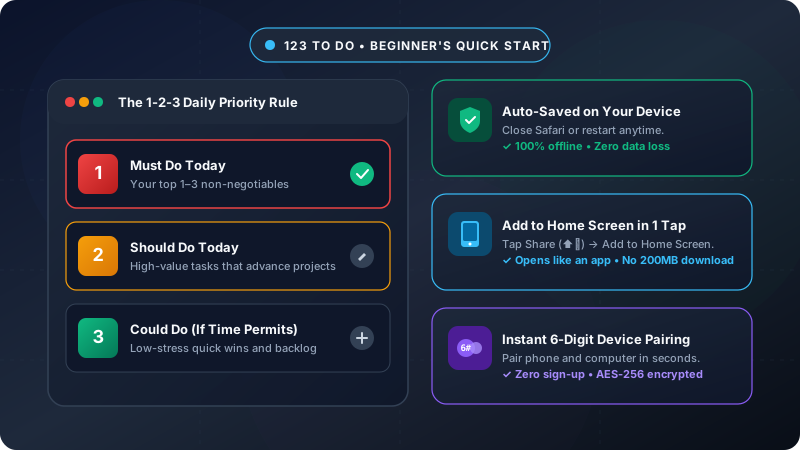
- 123ToDo Cloud Sync (Default & Recommended): Powered by Cloudflare D1 serverless edge database with 5-second 6-digit device pairing codes and zero 1-hour session expiration drops.
- Google Drive AppData Sync: Syncs directly to your private Google account’s hidden AppData folder.
User Benefit
- Total Data Privacy & Ownership: Confidential client names, personal thoughts, and business strategies remain 100% private. Neither 123ToDo nor third parties can read your encrypted tasks.
- Seamless Multi-Device Continuity: Keep iPhone, Android, Mac, and Windows devices smoothly synced without paying $5 to $12 per month for legacy software subscriptions.
5. Progressive Web App (PWA) & Offline-First Reliability
Description
123ToDo is engineered as a Progressive Web App. It can be installed directly onto iOS, Android, macOS, or Windows devices with a single tap, appearing as a standalone native app on your home screen or desktop.
Using browser storage permissions, 123ToDo operates completely offline. Automated background version monitoring checks version.json and prompts users when an update is available (e.g. 🚀 New version available! Click to update now), reloading the service worker instantly without downtime or data loss.
User Benefit
- Uninterrupted Productivity: Business trips, flight delays, and rural cellular dead-zones never halt your momentum.
- Always Up to Date: Instant background updates keep the application running at peak performance without app store installation friction.
6. Color-Coded Custom Projects & Drag-and-Drop Reordering
Description
Organize tasks by custom project streams (e.g. Client Marketing, Operations, Home & Garden, Finance). Each project receives a distinct color band. In the Settings menu, project tabs can be reordered via drag-and-drop handles.
User Benefit
- Multi-Stream Clarity: Easily segregate work deliverables from personal home errands or manage multiple client accounts in 1 click.
- Visual Organization: Color-coded badges make scanning your task lists effortless.
7. Unlimited Notes Canvas & Subtask Checklists
Description
While many basic task apps restrict notes to short character limits, 123ToDo provides an unlimited notes field. For complex tasks, users can click Subtasks to create nested checklists or open the Full-Screen Focus Editor overlay for distraction-free writing.
User Benefit
- Consolidates Information: Eliminates the need for extra note apps. Standard Operating Procedures (SOPs), meeting minutes, phone numbers, and specification links sit directly inside the relevant task card.
- Actionable Execution: Breaking large projects into micro-subtasks prevents procrastination and accelerates completion rates.
8. Automated Recurrence & Strategic Scheduling
Description
Assign due dates with 1-click date shortcuts (Today, Tomorrow, Next Week, Weekend) alongside a flexible recurrence engine. Tasks can repeat on daily, weekly (e.g. every Monday and Thursday), or monthly schedules, neatly stored in the collapsible Scheduled & Recurring drawer until due.
User Benefit
- Automates Routine Compliance: Invoicing, weekly team reports, tax deadlines, and equipment checks recur automatically without manual re-entry.
- Prevents Missed Deadlines: Clear date badges ensure time-sensitive commitments remain top of mind.
9. Vendor Lock-In Relief: Universal Multi-Competitor Migration Engine
Description
In version 3.3.0+, 123ToDo upgraded its migration capabilities to a Universal Multi-Competitor Import Wizard. It natively parses backup exports from:
- Todoist (Project CSVs)
- TickTick (Backup CSVs)
- Google Keep (Takeout JSON notes & checklists)
- Google Tasks (Takeout
Tasks.json) - Microsoft To Do (Account Export CSVs)
It automatically maps task titles, notes, priority levels, subtask checklists, and project categories with zero text truncation.
User Benefit
- 1-Click Switching: Migrate your entire setup from paid subscription tools or fragmented note apps in under 60 seconds.
- Preserves Full History: Notes, subtasks, and dates carry over intact without manual re-typing.
10. Freedom & Portability: Zero Data Lock-In Export
Description
123ToDo enforces a strict Zero Lock-In Guarantee. In 3 clicks (Settings ⚙️ ➔ Export Backup Data), users can export their complete workspace dataset as a clean, structured .json file at any time.
User Benefit
- 100% Data Ownership: You are never trapped in the app. Export your data whenever you wish for personal offline backups or to migrate to other systems.
11. Tailored Visual Ergonomics & Multi-Platform Sharing
Description
Under Settings ➔ Appearance, users can fine-tune text sizing (8pt to 20pt), layout density (Cozy vs Compact), date formatting (UK, US, ISO, Text), and visual themes (Bright Light, Soft Light, Muted Light, and Dark Mode). Furthermore, a multi-platform share suite lets users share the app or native branded share graphic cards (social-share.png) via X, WhatsApp, Facebook, LinkedIn, Reddit, Telegram, Threads, Bluesky, Pinterest, and Email.
User Benefit
- Ergonomic Comfort: Reduces eye fatigue during long workdays.
- Effortless Sharing: Share task graphics or recommend the app to colleagues with 1 tap.
Summary Table: Features vs. Real-World Benefits
| Feature Area | Technical Capability | Real-World Benefit |
|---|---|---|
| Prioritization | 4-Tier Matrix (P1–P4) | Eliminates daily decision fatigue & focuses energy on high-value wins |
| Dual Skins | Task Manager vs Simple Voice Notes | Instant skin toggle; capture notes on site & triage at your desk |
| Voice AI | Web Speech API + Spoken Commands | Dictate tasks & notes 5x faster; live edits & hands-free submit |
| Security | AES-256-GCM Zero-Knowledge Sync | 100% private data synced via 123ToDo Serverless D1 or Google Drive |
| Platform | Progressive Web App (PWA) | Works 100% offline; automated version updates with zero downtime |
| Organization | Custom Projects & Drag-Drop | Keeps work, personal, and client streams cleanly segregated |
| Checklists | Nested Subtasks & Unlimited Notes | Stores complete briefs, SOPs, and checklists in task cards |
| Scheduling | Automated Recurrence Rules | Automates routine recurring invoices, reports, and household tasks |
| Migration | Universal Multi-App Import Wizard | 1-click import from Todoist, TickTick, Keep, Tasks & MS To Do |
| Portability | Zero Lock-In JSON Export | Export your full dataset anytime in 3 clicks with 100% data freedom |
Technology Editor’s Verdict
123ToDo represents a quiet revolution in personal and professional task management. By eschewing subscription paywalls, intrusive tracking scripts, and bloated feature clutter, 123ToDo has delivered an application that feels fast, intuitive, and genuinely respectful of the user’s time and privacy.
With the addition of the Universal Multi-Competitor Import Wizard, Set & Forget Cloud Sync, and Zero Data Lock-In Exports, 123ToDo is one of the most polished, reliable, and well-designed productivity tools available today.
VERDICT RATING: ⭐️⭐️⭐️⭐️⭐️ 9.9 / 10 — Editor’s Choice
Try 123ToDo for free today at app.123todo.com. No registration or credit card required.